
Pros and Cons of Using AI in Your Daily Work — And Why Over-Reliance Is Silently Costing You
50% of employees now use AI at work. But studies show heavy AI users score lower on critical thinking. Here's how to use AI as a lever — not a crutch.
Something happened to me a few weeks ago that I haven't been able to stop thinking about.
I sat down to write a simple project brief — the kind of thing I've written dozens of times. No AI, just me and a blank document. Twenty minutes passed. I had four bullet points and a growing sense of unease.
The problem wasn't the brief. It was me. I'd quietly, without realising it, outsourced the first draft of my thinking to AI so consistently that sitting alone with a blank page felt genuinely uncomfortable.
That moment made me step back and look honestly at what AI in daily work is actually doing to us — the real wins, the real costs, and the question nobody in the productivity space wants to say out loud.
The State of AI at Work in 2026
Let's start with the facts, because they're striking.
up from 21% in 2023
(Gallup, Q1 2026)
The numbers look incredible. So why are over 80% of AI-adopting companies still reporting no measurable productivity gains, according to a National Bureau of Economic Research survey of executives? The answer lives in the gap between what AI promises and how most of us actually use it.
The Real Pros of Using AI in Daily Work
Let's be fair first — and honest. AI tools have changed daily work in ways that are genuinely useful, and pretending otherwise is just contrarianism.
1. It Destroys the Blank Page Problem
The hardest part of most knowledge work isn't the thinking — it's starting. AI eliminates the activation energy. A first draft, an outline, a rough idea. Once something exists on the page, your brain shifts from resistance to editing, which is a fundamentally easier mode to work in.
2. It Compresses Research From Hours to Minutes
Work that once required tabs, reports, and an hour of reading can be summarized and cross-referenced in under five minutes. For professionals who need breadth before depth, this is transformative.
3. It Handles the Cognitive Drain of Low-Stakes Tasks
Formatting reports. Writing status updates. Cleaning up meeting notes. Drafting routine emails. None of these require your best thinking — but they consume it anyway. AI takes that drain away and gives your mental energy back for the work that actually needs it.
4. It Democratises Expertise
A small business owner can now produce marketing copy, legal summaries, financial projections, and website content without a team of specialists. That's not hype — that's genuinely levelling the playing field.
5. It's a Tireless Thinking Partner
Need to stress-test an argument? Pressure-test a strategy? AI doesn't get tired, doesn't judge, and doesn't have an ego invested in being right. Used well, it makes your thinking sharper, not lazier.
"AI is most powerful not when it thinks for you — but when it forces you to be more precise about what you actually think."
The Real Cons — Including the One Nobody Talks About
Here's where it gets uncomfortable. Because the downsides of AI in daily work aren't just inconveniences — some of them are structural, and they compound quietly over time.
- ✓ Speeds up first drafts and repetitive writing
- ✓ Summarises long documents instantly
- ✓ Handles structured, rule-based tasks
- ✓ Generates ideas and creative options
- ✓ Reduces errors in data-heavy work
- ✓ Available 24/7 without fatigue
- ✗ Confident and wrong — hallucinations are real
- ✗ Lacks genuine context, nuance, relationships
- ✗ Erodes your deep writing and reasoning muscles
- ✗ Creates output homogeneity — everything sounds the same
- ✗ Privacy and data risks with sensitive information
- ✗ False productivity: activity without real impact
The Hidden Cost: Cognitive Offloading
This is the con that deserves its own headline. A 2025 study published in the journal Societies found a significant negative correlation between frequent AI tool usage and critical thinking scores. Participants who reported heavy reliance on AI performed measurably worse on independent reasoning assessments.
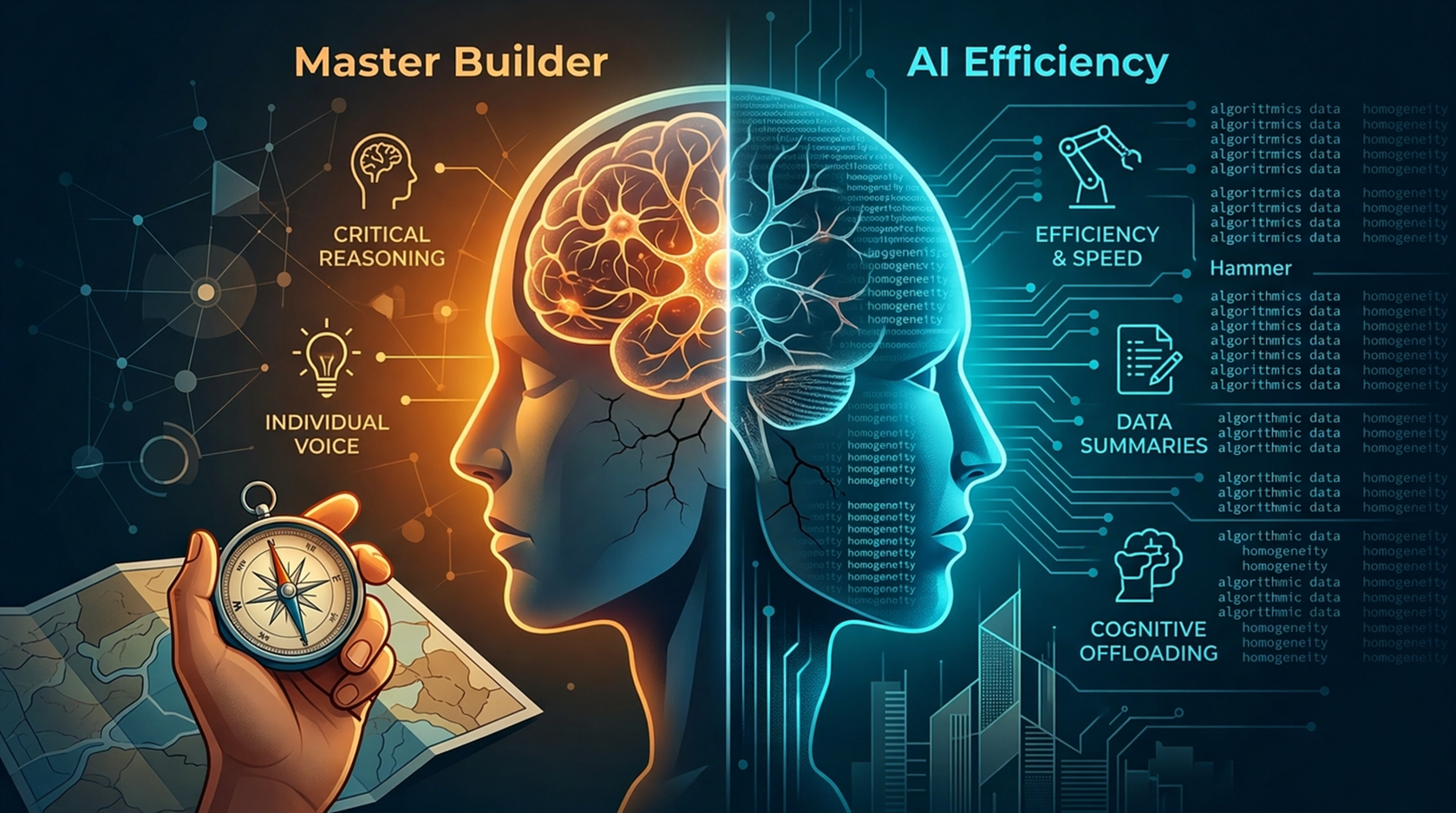
The mechanism is called cognitive offloading — when you habitually delegate mental tasks to a tool, your brain stops practicing those tasks. The same way your sense of direction weakens when you always use GPS, your reasoning weakens when you always use AI.
⚠️ The Microsoft / Carnegie Mellon Finding: A 2025 study of 319 knowledge workers found that the more confidence workers had in AI's capabilities, the more they disengaged from critical evaluation. Workers using AI heavily also produced "a less diverse set of outcomes for the same task" — meaning not just worse thinking, but more homogenous thinking.
A separate MIT Media Lab study divided participants into groups using ChatGPT, Google Search, and nothing. The results raised concerns about what regular AI-assisted writing might do to independent reasoning and individual voice over time.
This isn't anti-AI alarmism. It's a real tradeoff that deserves honest attention — especially for professionals whose value lies in the quality of their thinking, not just the volume of their output.
Over-Reliance on AI: When a Tool Becomes a Crutch
There's a version of AI adoption that looks like productivity but is actually a slow erosion of professional capability. Here's what it looks like in practice:
You stop writing first drafts yourself. You stop sitting with hard problems long enough to develop intuition about them. You accept AI outputs without interrogating them. Your written voice starts to flatten — cleaned, polished, and increasingly generic. You mistake the speed of producing output for the quality of doing the work.
The irony is that the people most at risk are often the highest performers — the ones using AI most aggressively and seeing the most short-term gains. The efficiency improvement is real. The compounding skill atrophy is just slower to show up.
How to Use AI Without Losing What Makes You Valuable
The goal isn't to use AI less. It's to use it deliberately. Here's what that looks like in practice:
Think first, prompt second. Before you open an AI tool, spend five minutes with the problem yourself. Even a rough, half-formed answer written by you is more valuable to your skill development than a polished answer written by AI.
Always edit, never just accept. If you can't improve an AI output, that's a signal — either the task is genuinely trivial (fine) or you've stopped engaging with the work (not fine).
Keep some tasks sacred. Certain work — the strategic memo, the difficult conversation, the creative brief that defines your brand — should have your fingerprints on it. Not because AI can't do it, but because doing it yourself is how you stay sharp.
Verify everything important. AI tools can be confidently wrong. Any output that will influence a real decision needs a human check. Full stop.
Watch for homogeneity. If your writing, your strategies, and your ideas are starting to sound like everyone else's, you're probably using AI as a replacement rather than an amplifier.
"The professionals who will win the next decade aren't the ones who use AI the most. They're the ones who know when to use it, what to question, and where to show up themselves."
The Bottom Line
AI in daily work is one of the most powerful productivity shifts of our professional lifetimes. The time savings are real. The capability unlocks are real. The democratisation of expertise is real.
But so is cognitive offloading. So is skill atrophy. So is the risk of mistaking speed for depth.
The best frame isn't "use AI vs. don't use AI." It's: use AI to go faster on the things that don't require your best thinking, so you have more of your best thinking available for the things that do.
A hammer doesn't build the house. The person holding it does. AI is the best hammer we've ever had. But you still need to know how to build.
Frequently Asked Questions
What are the biggest pros of using AI in daily work ?
The biggest advantages are time savings on repetitive tasks (companies report saving 40–60 minutes per worker per day), eliminating the blank-page problem, compressing research from hours to minutes, handling routine cognitive tasks so you can focus on high-value work, and democratising access to expertise for smaller teams and individuals. When used intentionally, AI also works as a thinking partner — sharpening your reasoning rather than replacing it.
What are the main risks of over relying on AI for work tasks ?
The primary risks include cognitive offloading — where skills like critical thinking, writing, and independent reasoning weaken from disuse — accepting AI outputs that are confidently wrong, producing homogenous work that sounds like everyone else, data privacy exposure when using proprietary information in AI tools, and creating a false sense of productivity where you're generating volume but not value. A 2025 study found a significant negative correlation between heavy AI usage and critical thinking test scores.
Does AI really affect critical thinking skills ?
Research suggests it can. A 2025 study by SBS Swiss Business School (Gerlich, 2025), published in the journal Societies, found a statistically significant negative correlation between frequent AI tool usage and critical thinking scores, with the effect most pronounced among younger users. A separate Microsoft and Carnegie Mellon study of 319 knowledge workers found that users confident in AI's ability disengaged from critical evaluation and produced less diverse outputs. The mechanism is cognitive offloading — delegating thinking to a tool consistently reduces how much your brain practices that type of thinking independently.
Which AI tools are best for daily work productivity in 2026?
The most widely adopted AI productivity tools in 2026 include ChatGPT (general tasks, writing, brainstorming), Claude (analysis, long-form writing, complex reasoning), Microsoft 365 Copilot (integrated into Word, Excel, Outlook, Teams), Notion AI (documentation, notes, project planning), Perplexity (research with cited sources), and Motion / Reclaim.ai (AI-powered calendar and task scheduling). The right tool depends on your workflow — the key is integrating AI into existing systems rather than adding it as a bolt-on.
How do I use AI at work without becoming dependent on it?
Think first, prompt second — spend a few minutes with any problem before turning to AI. Keep certain high-value tasks — strategic writing, key decisions, creative work that defines your voice — as human-led. Always edit AI outputs rather than accepting them wholesale; if you can't improve the output, that's a warning sign. Regularly practice tasks without AI assistance to keep your independent skills sharp. And always verify AI outputs on anything consequential — hallucinations and confident errors are a real risk.
Will AI replace my job ?
The more accurate framing is: people who use AI effectively will replace people who don't. European Central Bank data published in 2026 suggests AI is creating new categories of jobs, even as it automates parts of existing ones. The roles most at risk are those involving purely repetitive, structured tasks. The roles most resilient are those requiring judgment, relationship-building, creativity, leadership, and — interestingly — the ability to critically evaluate and direct AI outputs. The biggest career risk isn't AI replacing you. It's becoming dependent on AI to the point where you lose the skills that make you irreplaceable.
Is it safe to use AI tools for Confidential tasks ?
It depends on the tool and your organisation's policies. Consumer versions of AI tools (ChatGPT free tier, etc.) may use inputs to improve their models — which means sensitive data entered could potentially be exposed. Enterprise versions of tools like Microsoft 365 Copilot, Claude for Enterprise, and others are designed with stronger data privacy protections and generally don't use your data for training. Before using any AI tool with confidential client, financial, or proprietary business information, check the tool's data handling policy and your organisation's approved software list.